Tech
Best AI Tools for Students to Study Smarter in 2026

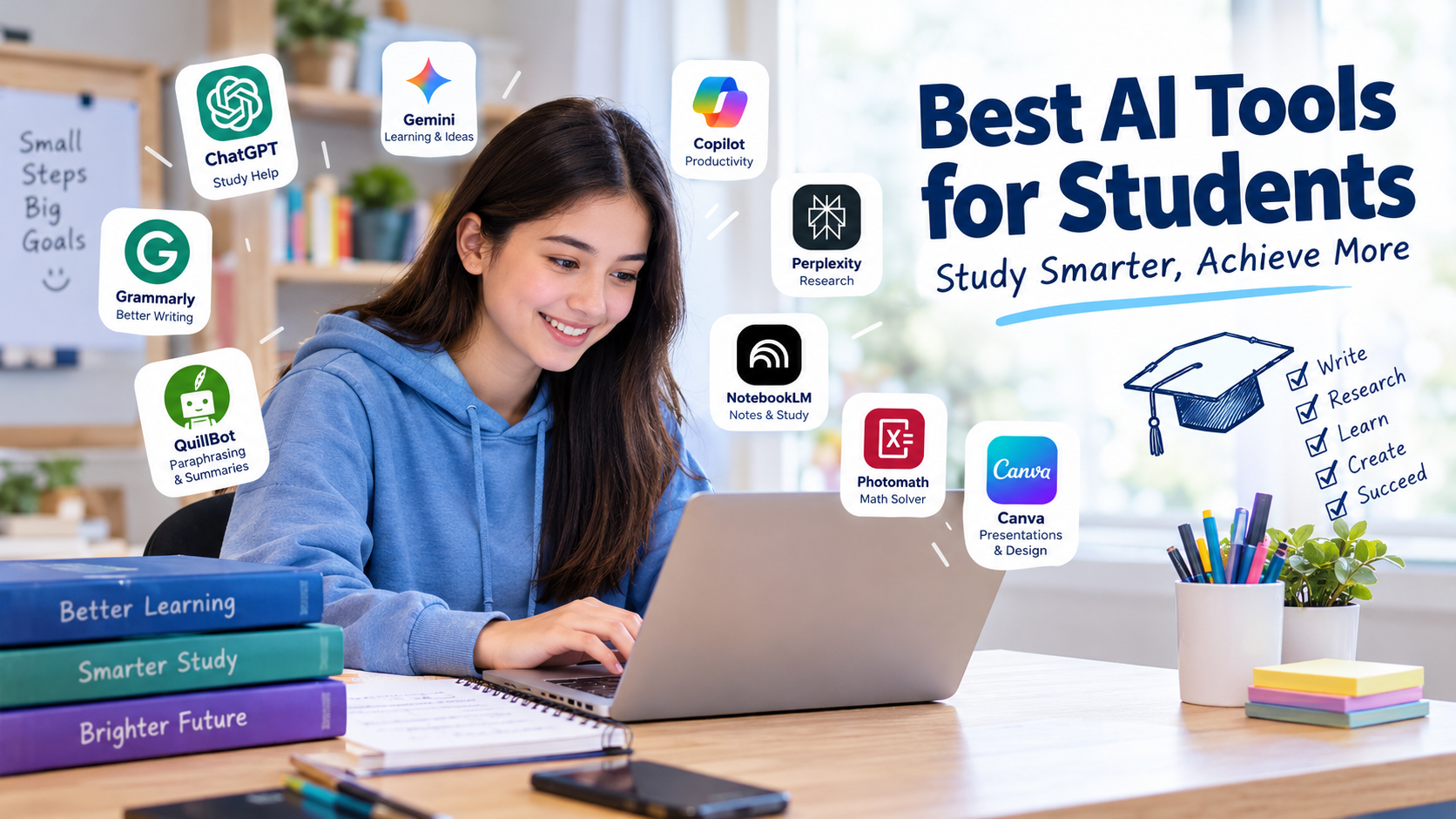
Students have many things to manage, including homework, exams, research, notes, and class projects. Finding enough time for every task can be difficult. This is where the best AI tools for students can help. These tools make studying easier by explaining difficult topics, organizing notes, checking grammar, and helping students prepare for exams.
Artificial intelligence has changed the way students learn and complete their daily tasks. Instead of spending hours searching for information, students can use AI tools to find explanations, summarize study materials, and practice new skills. Some tools also help with mathematics, language learning, presentations, and research.
However, choosing the right tool is important. Some AI tools are better for writing, while others are designed for research, problem solving, or note taking. Many offer free plans, making them useful for students who want to improve their study habits without spending money.
In this guide, we will explore the best AI tools for students in 2026, their main features, their benefits, and how to use them responsibly.
What Are AI Tools for Students?
AI tools for students are applications and websites that use artificial intelligence to support learning. They can answer questions, explain concepts, organize information, improve writing, and help users understand complex subjects.
For example, a student who finds physics difficult can use an AI assistant to request a simple explanation of a formula. Another student preparing for an English exam can use an AI writing tool to identify grammar mistakes and improve sentence structure.
These tools do not replace teachers, textbooks, or personal effort. Instead, they work as digital study assistants that help students learn at their own pace.
Common uses include:
- Explaining difficult school and college subjects.
- Summarizing long reading materials.
- Creating practice questions and flashcards.
- Checking spelling, grammar, and sentence structure.
- Helping with research and presentations.
- Organizing notes and study schedules.
1. ChatGPT: Best for General Study Help
ChatGPT is an AI assistant that can help students understand different subjects, brainstorm ideas, practice questions, and organize their studies.
Students can ask questions in simple language and request explanations suited to their current level. For example, a student learning biology can ask for a simple explanation of photosynthesis or request a quiz to test their knowledge.
ChatGPT can also help create study plans, explain mathematical steps, summarize notes, and generate practice exercises.
Best features:
- Explains difficult topics in simple language.
- Creates quizzes and revision questions.
- Helps organize study schedules.
- Supports brainstorming and outlining.
- Offers a free plan with usage limits.
Best for: School students, college students, and learners studying different subjects.
To get better results, provide a clear question and mention your education level. Ask the tool to explain the reasoning rather than simply giving you an answer.
2. Google Gemini: Best for Everyday Learning
Google Gemini is an AI assistant that helps students explore topics, generate ideas, understand concepts, and work with information.
Students can use it to explain scientific ideas, prepare revision questions, plan projects, and develop outlines for assignments. Depending on the available features and account, Gemini may also work with supported Google services.
Its conversational interface makes it useful when students need to ask follow-up questions or explore a subject from different angles.
Best features:
- Helps explain academic topics.
- Supports brainstorming and project planning.
- Generates practice questions.
- Assists with writing and summaries.
- Can connect with supported Google services, depending on account and settings.
Best for: Students who regularly use Google services and need a general learning assistant.
Always verify important facts and references before using AI-generated information in schoolwork.
3. Microsoft Copilot: Best for Productivity
Microsoft Copilot can assist students with research ideas, writing, explanations, and everyday academic tasks. It is particularly useful for learners who already use Microsoft products.
Students can ask Copilot to explain a topic, prepare an outline, brainstorm presentation ideas, or suggest ways to organize an assignment. Features available in Microsoft applications depend on the product, subscription, and account.
Best features:
- Generates ideas for assignments.
- Helps explain unfamiliar topics.
- Assists with outlines and summaries.
- Supports productivity tasks.
- Integrates with selected Microsoft products and services.
Best for: Students who use Microsoft Word, PowerPoint, or other Microsoft tools.
Students should review AI-generated work carefully and follow their school’s rules about using AI for assignments.
4. Grammarly: Best for Grammar and Writing
Grammarly helps students improve their writing by identifying grammar, spelling, punctuation, and clarity issues. Depending on the plan and feature, it can also suggest changes to tone and wording.
It is useful for essays, emails, reports, applications, and other academic writing tasks. Students can use it to spot mistakes and learn how to communicate more clearly.
Best features:
- Checks spelling and grammar.
- Suggests clearer sentences.
- Helps improve readability.
- Provides writing feedback.
- Offers free writing assistance, with some advanced features requiring payment.
Best for: Students who want to improve their English writing and academic communication.
Grammarly is most useful when students review each suggestion and understand why a change improves their writing.
5. QuillBot: Best for Paraphrasing and Summaries
QuillBot is a writing assistant with tools for paraphrasing, summarizing, and improving text. It can help students explore different ways to express an idea or shorten lengthy material into a more manageable summary.
For example, students can use its summarizer to review a long passage before studying the original text in detail. Its paraphrasing tool can also help users compare different sentence structures.
Best features:
- Paraphrases sentences and paragraphs.
- Summarizes longer passages.
- Supports writing improvement.
- Includes additional writing tools.
- Provides free access with limitations on some features.
Best for: Students working with reading materials, drafts, and study notes.
Paraphrasing does not remove the need to cite original sources. Students should never use the tool to disguise copied work as their own.
6. Perplexity: Best for Research
Perplexity is an AI-powered search and answer tool that can help students investigate topics and find supporting sources. It can be useful when starting a research project or looking for background information.
Unlike a basic chatbot response, its answers commonly include links to sources that users can inspect. This makes it easier to begin checking where information comes from.
Best features:
- Helps explore research questions.
- Provides linked sources in many answers.
- Summarizes information from web sources.
- Suggests related questions.
- Offers free access with limitations on some features.
Best for: College students, researchers, and students preparing reports or presentations.
Always open the original sources. Check the publication date, author, and reliability of the information before citing it in an assignment.
7. NotebookLM: Best for Study Notes
NotebookLM is a research and learning assistant from Google that can help students work with their own source materials. Depending on the supported source type and available features, users can add documents and other references to create a focused workspace for studying.
It can help summarize uploaded materials, answer questions based on sources, and identify important points for revision.
Best features:
- Works with supported study materials.
- Helps summarize lengthy documents.
- Answers questions using provided sources.
- Helps organize information for revision.
- Supports source-based learning.
Best for: Students with lecture notes, reading lists, research documents, and course materials.
Review the source references and original documents to confirm that the summaries are accurate.
8. Khan Academy Khanmigo: Best for Guided Learning
Khanmigo is an AI learning assistant associated with Khan Academy. It is designed to support learning through guidance and questions rather than simply giving students the final answer.
Students can use guided explanations to work through challenging concepts and develop stronger problem-solving skills. Availability and access conditions may depend on the user’s location, account, and the current offering.
Best features:
- Encourages step-by-step learning.
- Helps students explore challenging concepts.
- Supports guided practice.
- Connects with Khan Academy’s learning environment.
- Can support teachers and learners through available educational features.
Best for: Students who want to understand how to solve problems rather than memorize answers.
9. Photomath: Best for Mathematics
Photomath helps students work through mathematical problems using a mobile device. Depending on the problem and available features, it can provide step-by-step explanations for topics such as arithmetic, algebra, and other areas of mathematics.
Students can use it to review homework problems, identify where they made a mistake, and practice similar questions.
Best features:
- Helps solve supported math problems.
- Provides step-by-step explanations.
- Supports learning across several math topics.
- Offers a mobile-friendly experience.
- Includes free features, with some additional explanations available through paid plans.
Best for: Students who need extra help with mathematics.
Rather than copying the final result, try solving the problem yourself after reviewing the explanation.
10. Canva Magic Studio: Best for Presentations
Canva offers AI-powered features through Magic Studio and other tools that help users create visual content. Students can use Canva to prepare presentations, educational posters, diagrams, and project graphics.
Its design templates can also save time when preparing slides for classroom presentations or group projects.
Best features:
- Provides presentation and design templates.
- Helps create visual learning materials.
- Supports posters and educational graphics.
- Includes selected AI-powered design features.
- Offers free access, with some features restricted to paid plans.
Best for: Students preparing class presentations, visual projects, and educational content.
Always check facts, image permissions, and any school requirements before submitting a finished project.
Comparison of the Best AI Tools for Students
| AI tool | Main use | Free access |
|---|---|---|
| ChatGPT | General study help | Yes, with limits |
| Google Gemini | Learning and brainstorming | Yes, with limits |
| Microsoft Copilot | Productivity and explanations | Yes, with limits |
| Grammarly | Grammar and writing | Yes, with limits |
| QuillBot | Paraphrasing and summaries | Yes, with limits |
| Perplexity | Research and source discovery | Yes, with limits |
| NotebookLM | Source-based study notes | Yes, subject to current limits |
| Khanmigo | Guided learning | Access varies |
| Photomath | Mathematics | Yes, with paid extras |
| Canva Magic Studio | Presentations and design | Yes, with paid extras |
Free features and usage limits can change. Check each official website for current pricing, availability, and eligibility before choosing a tool.
How to Choose the Right AI Tool for Your Studies
The best AI tool depends on the type of work you need to complete. You do not need to use every tool on this list. Start with one or two that solve your main study problems.
For writing assignments
Choose Grammarly for writing feedback and ChatGPT for brainstorming, outlining, and understanding a topic. Use your own reasoning and follow your school’s academic integrity rules.
For mathematics
Try Photomath for supported problems or an AI assistant that can explain each calculation. Check the solution against your textbook or teacher’s method.
For research projects
Use Perplexity to discover sources and NotebookLM to work with supported course documents. Verify all important facts using reliable original references.
For presentations
Canva can help you build slides, diagrams, and posters. A general AI assistant can help you arrange the information into a clear outline.
For exam preparation
Ask an AI assistant to create practice questions from your notes. Answer them without looking at the material, then review the explanations for any mistakes.
Benefits of Using AI Tools for Students
AI tools can improve the study process when used thoughtfully.
1. Save time: AI can help organize notes, create outlines, and summarize material before a detailed review.
2. Understand difficult subjects: Students can request explanations in simpler words or ask for additional examples.
3. Improve writing: Grammar assistants can identify mistakes and suggest clearer sentences.
4. Prepare for exams: Practice questions, flashcards, and quizzes can support regular revision.
5. Learn at your own pace: Students can revisit explanations and ask follow-up questions whenever they need clarification.
6. Support creativity: AI tools can help students brainstorm ideas for presentations, research projects, and visual assignments.
These benefits depend on how the tools are used. AI-generated answers can contain errors, so students should continue to use textbooks, teachers, and trusted sources.
Are AI Tools Safe for Students?
Many well-known AI tools provide useful learning features, but students should understand their privacy settings and limitations.
Avoid entering passwords, financial details, private school records, or personal information into AI prompts. If you are under the age required for a service, follow its age restrictions and use any necessary parental or school guidance.
Students should also check the accuracy of AI-generated answers. A response can sound convincing while still containing incorrect facts, outdated information, or invented references.
Finally, follow your school’s rules on AI use. Some teachers allow AI for brainstorming and revision but restrict its use in final assignments or exams.
Tips for Using AI Tools Effectively
You can get better results by asking specific questions and checking the answers.
- State the subject and your education level.
- Ask for step-by-step explanations.
- Request examples and practice questions.
- Compare important answers with trusted sources.
- Rewrite ideas in your own words.
- Keep track of sources used in research.
- Follow academic integrity and privacy rules.
For example, instead of asking an AI tool to complete your entire biology assignment, ask it to explain cell division in simple language and then create five practice questions. This approach encourages active learning and helps you remember the material.
Final Thoughts
The best AI tools for students can make learning more organized, help explain difficult subjects, and support writing, research, mathematics, and presentations. ChatGPT and Gemini are useful for general study help, Grammarly supports writing, Perplexity helps with research, and Photomath can assist with mathematics.
The right choice depends on your needs, budget, and study habits. Start with the free features, test the tools with real study tasks, and keep checking important information against reliable sources.
Most importantly, use AI to strengthen your knowledge instead of letting it do all your thinking. When combined with regular practice and independent learning, these tools can become valuable study partners.
The Hear UP is a leading technology publication house. Our origin dates back to 2016 as a small forum for technology enthusiasts. Since then, The Hear UP has transformed into a trusted source for emerging tech and science news.
The majority of our news is provided by staff writers. Other news is provided by news agencies and freelancers.
All of our contributors are members of the Society of Professional Journalists.
If you need to contact a news editor from The Hear UP you can find a list of email addresses on our contact page.
Our Organisation
The Hear UP