
Tech
15 Essential Smartphone Tips and Tricks Everyone Should Know in 2026

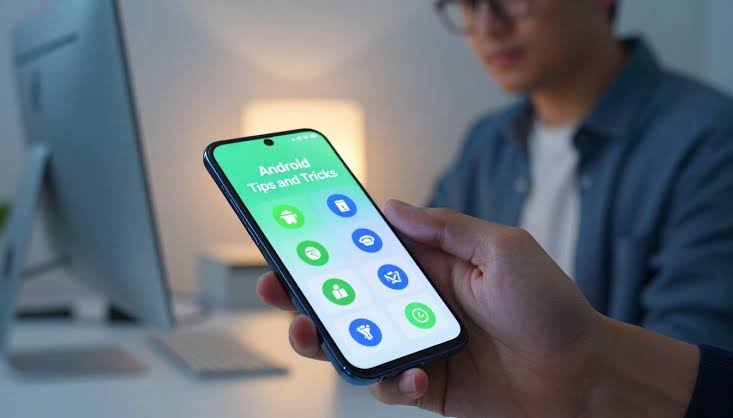
The average person checks their mobile device over one hundred times a day. That is a massive amount of time spent staring at a small glass screen. You want to make sure that time is productive and safe. Learning a few smartphone tips and tricks can change how you use your device.
These simple steps save you time and protect your personal data. You will get more done with less effort. Mobile technology moves fast and new features appear every year. Many people buy expensive phones but only use a fraction of the available tools.
You do not need to be a computer expert to master your device. Simple adjustments in the settings menu can transform your daily experience. Let us look at fifteen ways to improve your daily mobile experience.
Automate your daily routines to save time
You stop doing the same tasks every single morning. Your phone can adjust its own settings based on your location or the time of day. Set your device to turn on silent mode when you arrive at work.
You can also make it read your morning messages aloud while you drive. This simple automation keeps your focus where it belongs. Creating a morning routine takes just a few minutes in your settings menu.
Open your settings menu and find the automation tab. Select a trigger like arriving at a specific location. Choose an action like opening your music app.
The phone handles the rest without any input from you. Pick the apps you want to open automatically when your alarm stops ringing. The weather app and your favorite news podcast can start playing right away.
Evening routines work just as well. Program your phone to turn on a blue light filter at sunset. This helps your brain prepare for sleep.
Automation removes the friction from your daily habits. You wake up informed and ready for the day.
Protect your privacy with strict app permissions
You keep your personal data away from companies that want to sell it. Many applications ask for access to your microphone or camera. You do not need to give a flashlight app access to your contacts.
Go into your mobile privacy settings and revoke access for apps you do not trust. Your personal conversations stay private when you take control. Check the location permissions next.
Some apps track where you go even when you close them. Change this setting to allow location access only while using the app. This simple switch stops background tracking completely.
Open the settings app and tap on privacy. Scroll down to see a list of hardware features like the camera. Tap each feature to see which apps have permission.
Turn off the switch for any app that does not need it. Review your app permissions once a month to stay safe. Delete any programs you no longer use.
Fewer apps mean fewer chances for a data breach. Your digital footprint shrinks when you manage these settings carefully.
Extend phone battery life with smart charging habits
You avoid the panic of a dead phone in the middle of the day. Modern devices learn your sleep schedule and stop charging at eighty percent. They finish the last twenty percent right before you wake up.
This method keeps the battery healthy for years. You get reliable power all day long without buying a replacement. Heat is the biggest enemy of mobile power cells.
Keep your phone out of direct sunlight when you are outside. Remove thick cases while charging to let the heat escape. Lowering your screen brightness also saves a massive amount of energy.
Turn off background app refresh for programs you rarely use. These small adjustments add hours to your daily usage. Go to your battery settings and look for health options.
Turn on the optimized charging switch. The phone will now manage the power flow intelligently. You will notice the battery lasting much longer over the next few months.
| Action | Benefit |
|---|---|
| Enable optimized charging | Protects long term battery health |
| Lower screen brightness | Adds hours of daily usage time |
| Turn off background refresh | Stops hidden power drain |
| Remove case while charging | Prevents dangerous heat buildup |
Use text expansion for much faster typing
You send long emails or messages in just a few seconds. Most phones let you create custom shortcuts for phrases you type often. You can type a short code and the phone will automatically write a long sentence.
This trick is perfect for your home address or email. You save your thumbs from unnecessary typing. Think about the questions people ask you every week.
Create a shortcut for your business hours or your WiFi password. Guests can connect to your internet without you spelling out a long string of numbers. Setting this up takes less than five minutes.
Go to your keyboard settings and find text replacement. Tap the plus button to create a new shortcut. Type your long phrase in the top box and a short code in the bottom box.
Save the entry and test it in a message. Add your most common phrases and watch your typing speed double. Communication becomes effortless.
Scan important documents directly with your camera
You stop carrying bulky scanners or paying for expensive software. The built in camera app has a document mode that detects edges automatically. It flattens the image and makes the text crisp and clear.
You can save these files as PDF documents directly to your files app. This makes sharing receipts or contracts incredibly easy. Teachers use this feature to grade papers on the go.
Business owners scan receipts to track their expenses. The software even reads the text inside the image. You can copy a phone number from a printed flyer and paste it into your dialer.
This optical character recognition saves you from typing errors. Keep all your important paperwork organized in digital folders. Open your camera and look for the document icon.
Point the lens at a piece of paper and wait for the yellow box to appear. Press the shutter button to capture the image. The software will automatically crop out the background.
Find lost items quickly with tracking networks
You never have to worry about losing your keys or wallet again. Small Bluetooth trackers connect to a massive network of mobile devices. If you drop your keys at a park, another phone will detect the signal.
You get an alert showing the exact location on your map. Finding your valuables takes only a few minutes. Attach a tracker to your luggage before a big trip.
You will know exactly when your bag arrives at the destination. Some trackers even have a speaker you can trigger from your phone. Press a button to make your hidden wallet beep loudly.
This feature is perfect for items lost inside your house. Peace of mind is worth the small investment. Buy a tracker that works with your specific phone brand.
Attach it to your keychain using the included ring. Open the tracking app and register the new device. You can now see the location of your keys on a map.
Clean up storage space automatically without effort
You always have room for new photos and important applications. Your phone can delete old screenshots and blurry pictures on its own. Set the device to remove files from the trash bin after thirty days.
This keeps your storage space open and your phone running fast. You will never see a full storage warning again. Video files take up the most room on modern devices.
Change your camera settings to record in a highly efficient format. This reduces file sizes without losing visual quality. Review your downloaded movies and delete the ones you already watched.
Streaming services let you watch content without keeping it on your device. A clean phone operates much faster than a cluttered one. Open your photo gallery and find the settings menu.
Look for the option to free up space. The app will suggest deleting items already backed up to the cloud. Confirm the deletion to instantly gain gigabytes of free room.
Block spam calls and texts easily to stop interruptions
You enjoy peace and quiet without annoying telemarketers ruining your day. Both major mobile platforms have built in tools to silence unknown callers. You can send these calls straight to voicemail without your phone ringing.
Text messages from unknown numbers go into a separate junk folder. Your attention remains on the people who actually matter. Scammers use fake local numbers to trick you into answering.
Enable the spam protection feature in your phone app settings. The system checks incoming numbers against a database of known frauds. You can also report new spam numbers to help protect other users.
Silence is golden when you control who gets your attention. Open your phone app and tap the three dots in the corner. Select settings and then find caller ID and spam.
Turn on the filter spam calls option. Your phone will now handle annoying robocalls automatically.
Read screens comfortably in dark mode at night
You reduce eye strain when checking your phone in a dark room. Dark mode changes the bright white background to a deep black or gray. This uses less power on modern displays and looks much better.
You can schedule this feature to turn on automatically when the sun sets. Your eyes will thank you during late night reading sessions. Many popular apps support this visual style.
Open your favorite reading app and switch the theme to match your system settings. The contrast makes text easier to read in low light environments. This simple visual tweak improves your overall comfort.
You might even fall asleep faster without bright blue light shining in your face. Swipe down from the top of your screen to open the control center. Look for the dark mode icon and tap it.
The entire interface will change to a darker color palette. You can also schedule this in the display settings.
Secure your data with advanced biometric locks
You keep thieves out of your banking apps and private messages. Face recognition and fingerprint scanners are faster and safer than passwords. Make sure you enable these features for sensitive applications.
A thief might guess your passcode but they cannot copy your face. Your digital life stays completely secure. Require a biometric scan every time you open your password manager.
This adds a strong layer of protection to your most critical accounts. Update your facial data if you get a new haircut or start wearing glasses. The system needs accurate information to work properly.
Security should be strong but also convenient. Biometric locks give you the best of both options. Go to your security settings and select face ID or fingerprint.
Follow the on screen instructions to register your features. Set up a backup passcode just in case the scanner fails. Require this biometric scan for all financial apps.
Share your location safely with trusted friends
You let your family know you are safe without sending constant text messages. You can share your live location for a specific amount of time. This is perfect for late night drives or meeting friends in a crowded place.
They can see exactly when you will arrive. You maintain your privacy once the timer runs out. Parents use this feature to watch their children walk home from school.
The map updates in real time so you know they are safe. Stop sharing your location when you reach your destination. Only grant this permission to people you trust completely.
Safety and privacy can exist together when you use the right tools. Open your messaging app and start a conversation with a friend. Tap their name at the top of the screen.
Select the option to share your location. Choose a time limit like one hour or until the end of the day.
Control smart home devices from one central app
You manage your entire house without opening ten different applications. Modern phones act as a universal remote for your lights and thermostat. You can turn off the living room lamp or check the front door camera from your bed.
Grouping these devices makes your home run smoother. You gain total control with a single tap. Create scenes for different parts of your day.
A movie scene can dim the lights and lower the blinds automatically. A morning scene can start the coffee maker and turn on the news. These connected devices talk to your phone over your WiFi network.
Make sure your network password is strong to keep hackers out. Download the central home app for your phone. Tap the add button to connect your smart lights and plugs.
Assign each device to a specific room in your house. You can now control everything from a single dashboard.
Translate foreign languages in real time
You communicate clearly when traveling to a different country. Your phone camera can look at a menu or street sign and translate the text instantly. You can also speak into the microphone and have the phone speak the translation aloud.
This removes the language barrier completely. You feel confident exploring new places. Download language packs before you leave home.
This allows the translation tool to work without an internet connection. You can ask for directions or order food in a remote village. The accuracy of these tools improves every year.
Travel becomes much less stressful when you understand the locals. Open the translation app on your device. Select the language you speak and the language you want to learn.
Tap the camera icon and point it at a foreign sign. The screen will show the translated text in real time.
Identify plants and objects with your visual lens
You learn about the world around you without typing search queries. Point your camera at a strange flower in your garden to find its name. The visual search tool can also identify dog breeds or historical landmarks.
You get instant answers to your daily questions. Learning new things becomes a fun and simple habit. Shoppers use this tool to find cheaper prices online.
Take a picture of a pair of shoes in a store window. Your phone will show you where to buy them for less money. Students use visual search to solve complex math problems.
The camera reads the equation and provides step by step instructions. Open your camera app and tap the visual search icon. Point the lens at an object you want to identify.
Wait a few seconds for the system to analyze the image. A card will pop up with information and related links.
Back up your photos to the cloud securely
You never lose precious memories if you drop your phone in a lake. Automatic cloud backups save every picture and video you take. You can access these files from any computer or tablet.
This protects your data from hardware failure or theft. Your family memories remain safe forever. Set your backup to run only when connected to WiFi.
This prevents the process from using up your monthly cellular data plan. Check your cloud storage limit occasionally. You might need to buy more space if you take a lot of videos.
Organize your photos into albums to make them easier to find later. Peace of mind is the ultimate benefit of a good backup strategy. Open your photo app and tap your profile picture.
Go to the backup settings and ensure the switch is on. Select high quality to save space or original quality for exact copies. The app will upload your media whenever you connect to WiFi.
Reviewing these fifteen smartphone tips and tricks shows how much power you hold in your pocket. Small changes make a huge difference in your daily routine. You save time and protect your personal information.
Start applying these methods today to get the most out of your device. Technology should work for you and not against you. Take control of your settings and build better habits.
Your phone will last longer and serve you better. Mastering these features gives you an edge in a busy world. You will feel more confident using your device for work and play.
Keep exploring new settings as software updates arrive. Companies add fresh features all the time to help you stay productive. Stay curious and keep learning about your mobile tools.
Try one of these smartphone shortcuts right now and see how it works. Leave a comment below to tell us which tip helped you the most. Share this guide with a friend who needs to organize their digital life.
The Hear UP is a leading technology publication house. Our origin dates back to 2016 as a small forum for technology enthusiasts. Since then, The Hear UP has transformed into a trusted source for emerging tech and science news.
The majority of our news is provided by staff writers. Other news is provided by news agencies and freelancers.
All of our contributors are members of the Society of Professional Journalists.
If you need to contact a news editor from The Hear UP you can find a list of email addresses on our contact page.
Our Organisation
The Hear UP