
Tech
Is an External SSD for Laptop Worth It?

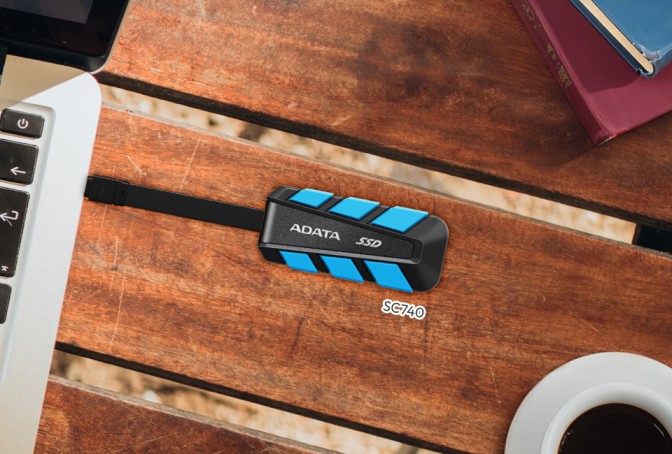
In today’s fast-moving digital world, having fast, reliable, and portable storage is more important than ever. Students managing large projects, content creators editing high-resolution videos, and professionals requiring quick access to files can all encounter the limitations of traditional storage.
An external ssd for laptops is a small, high-speed storage device that connects via USB-C or Thunderbolt. Unlike traditional hard drives, SSDs have no moving parts, making them more durable and less likely to fail. They provide fast data transfers, quick startup times, and convenient portability, making them ideal for a storage upgrade.
This guide will break down the main benefits of external ssd for laptops, helping you decide if this upgrade fits your needs and how it can improve your laptop’s performance and overall digital experience.
What is an External SSD for Laptop?
An external SSD (Solid State Drive) is a portable storage device that connects to your laptop using USB-C, Thunderbolt, or other compatible ports. Unlike traditional external hard drives (HDDs), SSDs use flash memory to store data, giving them several advantages:
Speed: External SSDs are much faster than HDDs. While HDDs usually transfer data at 30–150 MB/s, SSDs can reach speeds of 500 MB/s to over 3,500 MB/s, depending on the model.
Reliability: With no moving parts, SSDs are more durable and less likely to fail, making them great for portable use.
Portability: SSDs are compact and lightweight, easy to carry, and perfect for on-the-go storage.
An external SSD provides a high-performance, reliable, and portable storage solution for laptop users seeking to enhance their data storage capabilities.
Key Benefits of Using an External SSD for Laptop
External SSDs offer several advantages that make them a smart choice for anyone looking to improve their laptop’s storage and performance.
1. Faster Data Transfer Speeds
External SSDs are much faster than traditional hard drives (HDDs), often up to 10 times quicker. While an HDD usually transfers data at around 100 MB/s, an SSD using USB 3.2 or Thunderbolt 3 can reach speeds of 1000 MB/s or more. This means tasks like transferring large video files, moving game libraries, or installing software that once took several minutes can now be done in seconds. Higher speeds allow professionals to manage large files quickly, reducing wait times and streamlining their workflow.
2. Improved Laptop Performance
External SSDs can enhance your laptop’s performance by freeing up space on the internal drive. When large files or applications are stored or run directly from the external SSD, your laptop’s internal storage isn’t overloaded. This prevents slowdowns, keeps your system running smoothly, and ensures programs and files load quickly. For instance, graphic designers, video editors, developers, and engineers benefit from faster access to large project files, resulting in more efficient work.
3. Portability and Convenience
External SSDs are small, lightweight, and easy to carry. Unlike bulky HDDs, these drives can easily fit into a bag, pocket, or laptop sleeve. This portability makes them perfect for students moving between classes, professionals traveling for work, or creatives working on location. You can access your files anywhere, without needing a network or cloud connection, which is ideal for working offline or on the go.
4. Reliability and Durability
SSDs don’t have moving parts like HDDs, which makes them more resistant to physical damage. External SSDs can handle minor drops, shocks, or vibrations without losing data, making them much more reliable for portable use. This durability is crucial for anyone carrying data between locations or traveling frequently.
External SSDs make your laptop faster, protect your data, and are easy to take anywhere. They offer quick, safe, and efficient storage for anyone working with large files.
When is an External SSD for Laptop Worth It?
An external SSD for your laptop is worth it if you want faster performance, reliable storage, and easy portability. It’s helpful in many situations:
1. Content Creators: An external SSD helps video editors, photographers, and designers work with large files more efficiently. Using an external SSD lets you work on videos, photos, and design projects more smoothly.
2. Students: An external SSD is useful for storing large amounts of schoolwork, like research papers, presentations, and projects. It allows you to open files quickly and makes it easy to back up or move your work between devices.
3. Gamers: Modern games are big and can slow down your laptop. Storing games on an external SSD reduces load times and keeps your laptop running smoothly.
4. Professionals: If you work with large files or sensitive data, an SSD keeps your information safe and lets you access it quickly. Many SSDs offer password protection and encryption.
5. Travelers & Remote Workers: Lightweight and portable SSDs let you carry important files anywhere. You can work offline and back up your data easily while on the go.
6. Media Lovers: Movies, music, and TV shows take up lots of space. An external SSD makes it easy to carry your media library without filling your laptop.
7. Developers & Engineers: Running virtual machines, CAD projects, or large code files is faster and smoother with an SSD, saving time and improving workflow.
An external SSD is a great choice if you want your laptop to be faster, keep your files safe, and work from anywhere. It offers speed, extra storage, and portability all in a small, convenient device.
Cost vs Value: Is It Worth the Investment?
In 2025, external SSDs will be cheaper and more accessible, and their advantages often justify the higher cost compared to HDDs.
1. Price Trends
SSD prices have dropped, and many high-capacity models are now affordable for students, professionals, and gamers.
Fast SSDs with USB-C or Thunderbolt connections are now more affordable, offering high performance without a big cost.
2. Long-Term Value
Durability: SSDs have no moving parts, making them much more resistant to drops, shocks, and everyday wear than traditional hard drives.
Efficiency: They transfer data quickly and use less power, which is great for laptops and portable devices.
Reliability: SSDs have no moving parts, making them more durable and reliable, so your data stays safe for longer.
External SSDs cost more upfront, but their speed, durability, and reliability make them a smart investment. If you need fast, safe, and portable storage, an SSD is usually worth buying.
Conclusion
An external SSD boosts your laptop’s speed, reliability, and portability. It’s perfect for students, creators, gamers, and professionals handling large files. SSDs provide fast file access, durability, easy transport, and overall better performance. Although they cost more than traditional hard drives, their speed, dependability, and convenience make them a