
NEWS
Freelancer Invoice Templates: Free Designs to Get Paid Faster and Stay Organized

What Is a Freelancer Invoice Template?
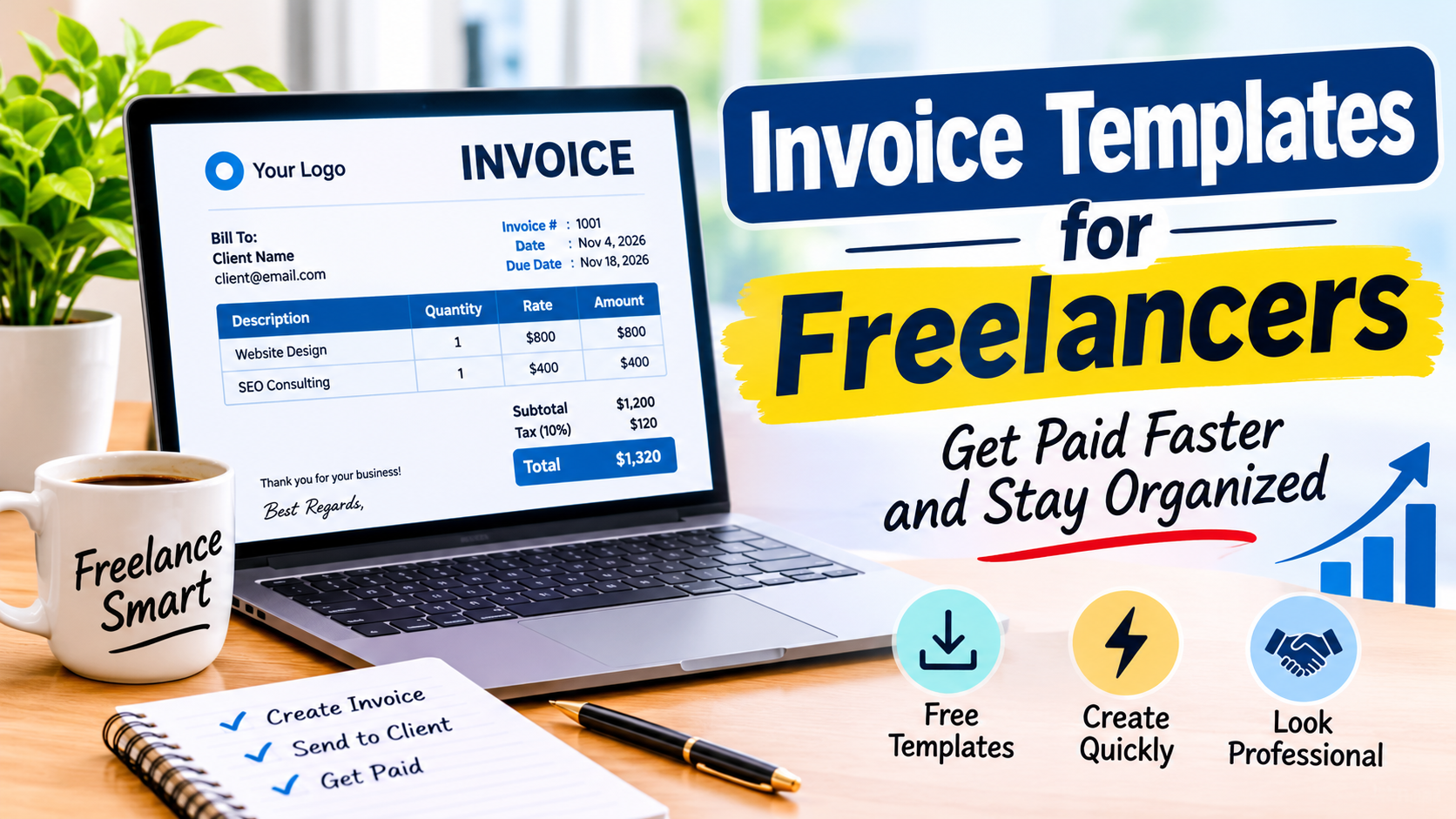
A freelancer invoice template is a prepared document you fill in with your project details. It already has the right layout and sections, so you just add your name, client information, and the amount owed. Most templates come in formats like PDF, Word, or Google Docs, which makes them easy to share by email.
You can reuse the same freelancer invoice template for every client and every project you take on. This saves you hours each month compared to starting from scratch. Instead of building a new document every time, you open your template and update a few fields. That simple habit keeps your billing consistent and professional across all your work.
Many freelancers also use their invoice template as a branding tool. Adding your logo, brand colors, and a short thank you note at the bottom helps you stand out. Clients remember the small details, and a polished invoice leaves a strong final impression after the project is done.
Why a Professional Invoice Matters
Your invoice is often the last thing a client sees from you after a project wraps up. A sloppy invoice with missing details makes you look careless and unprofessional. A clean freelancer invoice template tells your client you take your business seriously and respect their time.
Clients also process payments faster when invoices are clear and complete. If your client has to email you back to ask for a missing tax ID or project description, that adds days or even weeks to your payment cycle. A thorough invoice removes those delays and puts money in your pocket sooner.
A good invoice also protects you legally if something goes wrong. It serves as a written record of what you delivered and what the client agreed to pay. If a payment dispute comes up later, your invoice is your strongest proof that the work was done and the amount was agreed upon.
Key Parts Every Invoice Should Include
Every strong freelancer invoice template has the same core sections that clients expect to see. Your name and business address go at the top of the page. Below that, you list the client name, company, and contact details so there is no confusion about who owes the money.
Next comes the invoice number and date. The invoice number should be unique for every document you send to any client. A simple system like INV 001, INV 002, and so on works well for most freelancers and makes your records easy to search later.
The biggest section is the line items area where you describe your work. This is where you list each service or product you provided along with the quantity, the rate, and the total for each line. At the bottom, you show the grand total, any applicable taxes, and the payment due date so the client knows exactly what to pay and when.
Payment instructions belong at the very end of the document. Tell your client exactly how to pay you and make the process as smooth as possible. Include your bank details, PayPal email, or a link to your payment portal so there are zero barriers between your client and your payment.
Free Invoice Template Designs You Can Use Right Now
Several websites offer free invoice templates that look polished and professional without costing you a dime. Canva has dozens of invoice designs you can edit right in your browser. You pick a layout, change the colors to match your brand, and download a PDF in just a few minutes.
Wave is another popular option for freelancers who want an all in one solution. It gives you a free invoicing tool that generates clean templates automatically based on your business details. You enter your information once, and the system creates a new invoice for each project you complete.
Google Docs also has free invoice templates in its template gallery that are basic but fully functional. They work great if you want something simple and do not need fancy graphics or complex layouts. You can edit them just like any other document and share them directly from your Google Drive.
For a more modern look, try the templates on Zoho Invoice. The free plan lets you send up to five invoices per month with professional designs that rival paid software. Each freelancer invoice template includes all the sections your clients expect to see, from line items to payment terms.
Bonsai is another tool worth exploring if you work with larger clients. Its free trial gives you access to sleek invoice templates that include contract links and automatic payment reminders. The designs feel premium and can help you command higher rates from corporate clients.
How to Pick the Right Template for Your Work
The best freelancer invoice template depends on the type of work you do and the clients you serve. A graphic designer might want a template with room for visual branding and bold color accents. A writer or consultant might prefer a plain layout that focuses on clear text and simple numbers.
Think about your clients as well when choosing a design. Corporate clients often expect formal invoices with tax numbers and detailed line items. Smaller clients or individuals may be perfectly fine with a simpler format that gets straight to the point.
Test a few different templates before you settle on one. Send a draft to a trusted friend or colleague and ask if everything is easy to read and understand. Small changes in font size or spacing can make a big difference in how professional your invoice looks to the person paying you.
Tips to Get Paid Faster
A great freelancer invoice template is just the first step in getting paid on time. How and when you send the invoice matters just as much as how it looks. Send your invoice the same day you finish the project, because the longer you wait, the longer the client waits to pay.
Here are a few proven strategies to speed up your payments:
• Set clear payment terms like “net 15” on every invoice so clients know exactly when the money is due.
• Offer multiple payment methods such as bank transfers, credit cards, and PayPal to remove any friction.
• Ask for a deposit of 25 or 50 percent before you begin work to protect your time and confirm client commitment.
• Send polite email reminders three days after the due date if payment has not arrived yet.
Most late payments happen because the client simply forgot, not because they refuse to pay you. A short and friendly reminder is usually all it takes to get your money moving again. You can also set up automatic reminders in most invoicing tools so you never have to chase payments manually.
Another smart move is to invoice more frequently. Instead of sending one large invoice at the end of a long project, break it into smaller weekly or monthly invoices. Smaller invoices are easier for clients to approve and pay quickly, and they keep your cash flow steady throughout the year.
Common Invoice Mistakes That Slow Down Payment
Missing information is the number one reason invoices get delayed or rejected by clients. Double check that your invoice number, date, client name, and total amount are all correct before you hit send. One wrong digit can cause confusion and push your payment back by weeks.
Vague descriptions also cause problems and frustrate clients. Writing “services rendered” tells your client nothing about what they are paying for. Instead, write specific details like “website homepage design” or “blog post writing for June.” Clear descriptions help your client match the invoice to the work they received.
Forgetting to include your payment details is another common error that wastes time. Your client should not have to dig through old emails to find your bank account number. Put your payment information on every single invoice, even if the client has paid you many times before.
Using inconsistent formatting can also hurt your credibility over time. If one invoice uses Arial font and the next uses Times New Roman, it looks careless and rushed. Stick to one freelancer invoice template and use it for every project to maintain a consistent and trustworthy image.
Tools That Make Invoicing Easier
If you send more than a few invoices each month, a dedicated invoicing tool can save you serious time. FreshBooks is a popular choice for freelancers who want a simple and reliable system. It lets you create invoices, track payments, and send automatic reminders without any extra effort on your part.
QuickBooks is another strong option for independent workers who need more than just invoicing. It connects to your bank account and categorizes your income and expenses automatically. The invoicing feature is straightforward and produces clean, professional templates that impress even the most demanding clients.
For freelancers on a tight budget, Invoice Ninja offers a generous free plan. You can send unlimited invoices, accept online payments, and track your time all from one dashboard. The templates are modern and easy to customize with your logo and brand colors.
PayPal also has a basic invoicing feature included in its platform. If you already use PayPal to receive payments, this might be the simplest option available to you. You create an invoice inside PayPal and send it directly to your client’s email address with just a few clicks.
How to Stay Organized With Your Invoices
Getting paid is important, but staying organized is just as critical for your freelance business. Create a folder on your computer for each year and save every invoice you send. Name each file with the invoice number and client name so you can find it quickly when you need it.
Track your invoices in a simple spreadsheet to stay on top of your income. List the invoice number, client name, amount, date sent, and date paid in separate columns. This gives you a clear picture of who owes you money and how much income you have earned each month.
Set a specific day each week to handle all your billing tasks in one sitting. Use that time to send new invoices, check on late payments, and update your financial records. A weekly routine keeps your finances in order without taking over your entire schedule or causing stress.
Back up your invoice files in the cloud using services like Google Drive or Dropbox. These platforms keep your documents safe even if your computer crashes or gets stolen. Losing your invoice records can create serious problems during tax season, so take a few minutes to set up automatic backups and protect your hard work.
Conclusion
A strong freelancer invoice template does much more than make your billing look nice on screen. It helps you get paid faster, reduces client questions, and keeps your financial records clean and accurate all year long. The free designs available on sites like Canva, Wave, and Zoho give you a professional starting point without any cost to your growing business.
Pick a template that fits your type of work and your client base. Fill in every section completely, send your invoices promptly, and follow up on late payments with polite reminders. These small habits add up to big results over the course of a year and can dramatically improve your cash flow.
Stop waiting weeks for money you have already earned. Download a free freelancer invoice template today, customize it with your details, and send your next invoice with total confidence. Your bank account will thank you, and your clients will appreciate the clear and professional communication.
The Hear UP is a leading technology publication house. Our origin dates back to 2016 as a small forum for technology enthusiasts. Since then, The Hear UP has transformed into a trusted source for emerging tech and science news.
The majority of our news is provided by staff writers. Other news is provided by news agencies and freelancers.
All of our contributors are members of the Society of Professional Journalists.
If you need to contact a news editor from The Hear UP you can find a list of email addresses on our contact page.
Our Organisation
The Hear UP