
Tech
Automatic Image Annotation: How AI Is Transforming Image Labeling and Data Processing

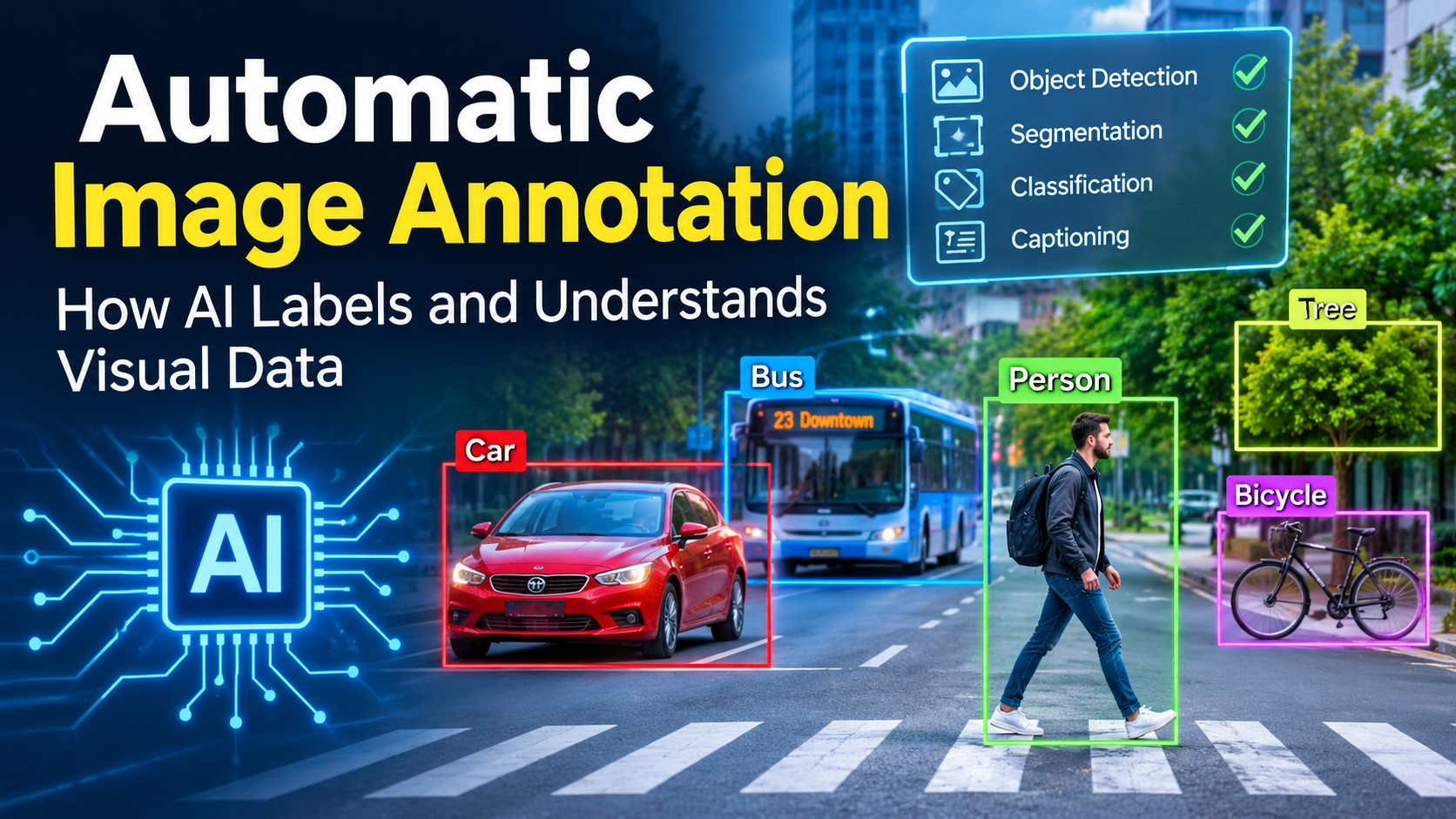
Artificial intelligence (AI) is transforming how computers understand and process visual information. From recognizing objects in photographs to helping autonomous vehicles identify pedestrians, modern AI systems depend on accurately labeled images to perform complex tasks. One technology making this possible is automatic image annotation.
Automatic image annotation uses artificial intelligence, machine learning, and computer vision to identify objects, recognize patterns, and assign meaningful labels to images. Instead of manually describing every image, automated systems can analyze large collections of visual data and generate annotations with minimal human involvement.
This technology is becoming increasingly important in industries such as healthcare, automotive manufacturing, retail, agriculture, security, and robotics. It helps businesses prepare training datasets faster, reduce repetitive work, and develop more capable AI applications.
In this guide, we will explore what automatic image annotation means, how it works, its major benefits, popular applications, available tools, and the challenges businesses should understand before adopting it.
Automatic Image Annotation: How AI Is Transforming Image Labeling and Data Processing
What Is Automatic Image Annotation?
Automatic image annotation is an AI-powered process that identifies and labels objects, people, animals, environments, and other visual elements within digital images. It uses computer vision and machine learning algorithms to understand image content and generate descriptive information automatically.
Traditional image annotation requires human workers to examine images and manually assign labels. For example, someone might need to identify every vehicle in a photograph, draw boundaries around individual cars, and categorize them according to predefined labels.
Automatic image annotation simplifies this process by allowing trained AI models to perform much of the labeling work.
Depending on the technology and application, an annotation system can generate:
- Object labels and categories.
- Bounding boxes around specific objects.
- Pixel-level segmentation masks.
- Image descriptions and captions.
- Facial and body landmarks.
- Object positions and movements.
- Tags describing scenes and environments.
These annotations become valuable training data for machine learning models. They help AI systems recognize similar objects and patterns when processing new images.
How Does Automatic Image Annotation Work?
Automatic image annotation combines several technologies to analyze visual information and generate meaningful labels. Although individual platforms may use different algorithms, most systems follow a similar workflow.
1. Image Collection and Preparation
The process begins with collecting images from different sources, including cameras, smartphones, medical equipment, drones, and online databases.
Before annotation, images may be resized, converted into supported formats, filtered, or organized into categories.
High-quality image preparation is important because blurry photographs, inconsistent lighting, and duplicated images can negatively affect annotation results.
2. Image Recognition and Analysis
Once images are prepared, computer vision models examine their visual features.
These models analyze elements such as:
- Shapes and patterns.
- Colors and textures.
- Object boundaries.
- Spatial relationships.
- Visual similarities.
- Background environments.
Deep learning models, particularly convolutional neural networks and vision transformers, can recognize complex visual patterns and identify objects within images.
3. Object Detection
Object detection is one of the most common techniques used in automatic image annotation.
An AI model identifies objects and determines their positions within an image. It can then generate bounding boxes around detected elements.
For example, an image containing two people, a bicycle, and a car may receive four separate object annotations.
Each object is assigned an appropriate category, helping computer vision systems understand what appears in the photograph.
4. Automatic Label Generation
After identifying objects, the system generates labels based on its trained categories.
For example, an image of a dog running through a park might receive labels such as:
- Dog
- Grass
- Trees
- Outdoor environment
- Running animal
More advanced systems can generate detailed captions or identify relationships between objects.
5. Human Review and Quality Control
Even advanced AI systems can make mistakes. They may overlook small objects, misunderstand unusual images, or generate inaccurate boundaries.
Human reviewers examine the generated annotations and correct errors when necessary.
This combination of automated processing and human supervision is commonly known as human-in-the-loop annotation.
6. Exporting Annotated Data
After reviewing the results, annotated images can be exported in formats supported by machine learning frameworks.
Common formats include COCO, YOLO, and Pascal VOC.
Developers can then use these datasets to train, evaluate, and improve computer vision models.
Types of Automatic Image Annotation
Different AI applications require different annotation methods. Selecting the appropriate technique depends on what a machine learning model needs to recognize.
1. Image Classification
Image classification assigns one or more categories to an entire image.
For example, an image containing a cat may receive the label “Cat.”
This technique is useful for organizing large image collections, identifying products, and categorizing photographs.
2. Object Detection
Object detection identifies individual objects and determines their locations using rectangular bounding boxes.
It is particularly useful for applications involving multiple objects in one image.
Examples include vehicle detection, pedestrian recognition, security monitoring, and industrial inspection.
3. Semantic Segmentation
Semantic segmentation divides an image into different regions and assigns a category to each pixel.
For example, an autonomous driving system may identify roads, buildings, pedestrians, vehicles, and trees.
This method provides more detailed visual information than traditional object detection.
4. Instance Segmentation
Instance segmentation identifies individual objects and creates separate masks around them.
For example, if an image contains five people, the system can generate five individual segmentation masks rather than treating everyone as one category.
It is useful in medical imaging, robotics, and advanced object recognition.
5. Keypoint Annotation
Keypoint annotation identifies important points within an image.
For example, human pose estimation models can identify shoulders, elbows, knees, wrists, and other body landmarks.
This technology supports fitness applications, sports analytics, movement tracking, and gesture recognition.
6. Image Captioning
Image captioning uses AI to generate natural-language descriptions of visual content.
For example, a system might describe an image as “A young person riding a bicycle on a city street.”
Unlike basic image classification, image captioning provides more descriptive information about an image.
Benefits of Automatic Image Annotation
Automatic image annotation offers several advantages for businesses, developers, and organizations working with visual data.
1. Faster Data Processing
Manual image labeling can become extremely time-consuming when working with thousands or millions of photographs.
Automated systems can process large image collections much faster by generating initial annotations automatically.
This allows development teams to prepare datasets more efficiently.
2. Reduced Annotation Costs
Hiring people to label large datasets requires significant time and financial resources.
Automatic annotation reduces repetitive manual work and allows businesses to use their available resources more effectively.
However, costs still depend on software subscriptions, computing resources, model development, and quality control.
3. Improved Productivity
AI-powered labeling tools help annotation teams focus on reviewing complex images instead of performing every labeling task manually.
This improves productivity and allows organizations to manage larger projects.
4. Consistent Labeling
Human annotators may interpret visual information differently, particularly when working with complicated images.
Automated systems apply predefined models and labeling rules, helping maintain consistency across datasets.
Nevertheless, consistency does not automatically guarantee accuracy. Models must be properly trained and evaluated.
5. Scalability
Businesses working with growing image collections need solutions that can handle increasing workloads.
Automatic image annotation makes it easier to expand data labeling operations without increasing manual work at the same rate.
6. Better AI Model Development
High-quality annotated datasets are essential for developing reliable computer vision applications.
Automated labeling helps developers prepare training data more efficiently, allowing them to spend more time improving and testing their models.
Real-World Applications of Automatic Image Annotation
Automatic image annotation is used across several industries. Its ability to recognize and categorize visual information makes it valuable for many modern technologies.
1. Healthcare and Medical Imaging
Healthcare organizations use AI-powered image analysis to support medical imaging workflows.
Automatic annotation can help identify structures and areas of interest in:
- X-ray images.
- MRI scans.
- CT scans.
- Ultrasound images.
- Digital pathology images.
For example, medical imaging models can be trained to identify specific anatomical structures or highlight suspicious regions for professional review.
These systems can support medical research and clinical workflows but should not replace qualified medical professionals.
2. Autonomous Vehicles
Self-driving vehicles depend on computer vision systems to understand their surroundings.
Automatic image annotation helps prepare datasets containing information about:
- Cars and trucks.
- Pedestrians.
- Traffic lights.
- Road signs.
- Lane markings.
- Road boundaries.
These annotations help train AI systems to recognize objects and understand road environments.
3. Retail and E-Commerce
Online retailers manage thousands of product photographs across their websites and applications.
Automatic image annotation can identify product categories, colors, shapes, and visual characteristics.
This makes it easier to organize product catalogs, improve image-based searches, and develop visual recommendation systems.
For example, an e-commerce platform may automatically categorize photographs of shoes, clothing, accessories, and electronic products.
4. Agriculture
Agricultural organizations use computer vision to monitor crops and identify potential problems.
Automatic image annotation can help label:
- Healthy plants.
- Damaged leaves.
- Weeds.
- Insects.
- Fruits and vegetables.
- Different crop varieties.
When combined with drone imagery and agricultural AI models, these techniques can support precision farming and crop monitoring.
5. Security and Surveillance
Security systems use computer vision to analyze video footage and identify objects or activities.
Automatic annotation can help recognize vehicles, people, restricted objects, and other important visual elements.
These capabilities can support monitoring systems, although privacy protection, responsible deployment, and human oversight remain important.
6. Manufacturing and Industrial Inspection
Manufacturing companies use automated image analysis to identify defects and monitor product quality.
For example, an AI system can be trained to recognize scratches, cracks, missing components, and irregular product shapes.
Automatic annotation helps prepare the visual datasets required to train these inspection models.
Popular Automatic Image Annotation Tools
Several platforms provide AI-powered image annotation features. The right choice depends on project requirements, dataset size, annotation types, and available technical resources.
1. CVAT
CVAT (Computer Vision Annotation Tool) is a popular platform for image and video annotation.
It supports manual labeling and AI-assisted workflows, including automatic object detection, segmentation, and tracking.
Users can integrate supported pretrained models and generate initial annotations that can be reviewed and corrected.
CVAT is particularly useful for developers and computer vision teams that need flexible annotation workflows.
Official website: https://www.cvat.ai/
2. Roboflow
Roboflow provides tools for managing computer vision datasets, preparing images, annotating objects, and training machine learning models.
Its platform supports automated labeling workflows through model integrations and helps developers move from raw images to training-ready datasets.
It is particularly useful for teams building object detection and image recognition applications.
Official website: https://roboflow.com/
3. Label Studio
Label Studio is a flexible data labeling platform that supports different annotation tasks, including image classification, object detection, and segmentation.
It can be integrated with machine learning models to assist annotation workflows.
Developers can customize labeling interfaces according to their project requirements.
Official website: https://labelstud.io/
4. Labelbox
Labelbox provides data annotation and management capabilities for AI development teams.
It supports workflows involving visual datasets, human review, and model-assisted labeling.
Organizations can use it to manage annotation projects and improve dataset quality.
Official website: https://labelbox.com/
5. Ultralytics
Ultralytics provides computer vision solutions built around its YOLO models.
Its ecosystem supports object detection, segmentation, classification, and other computer vision tasks.
These models can be used to generate automated annotations for suitable image datasets.
Official website: https://www.ultralytics.com/
Challenges of Automatic Image Annotation
Although automatic image annotation offers many advantages, it also comes with limitations that organizations should understand.
1. Incorrect Predictions
AI models can sometimes identify objects incorrectly.
For example, a model might confuse similar-looking animals or fail to recognize an object partially hidden behind another object.
Incorrect labels can negatively affect the quality of training datasets.
2. Complex Images
Images containing unusual angles, poor lighting, overlapping objects, or low resolution can be difficult to analyze.
Models trained on ordinary photographs may struggle with unfamiliar environments.
3. Bias in Training Data
An AI model learns from the examples included in its training dataset.
If that dataset does not represent different environments, objects, and conditions adequately, the model may produce biased or unreliable results.
4. High Computing Requirements
Processing large image collections and running advanced deep learning models can require powerful hardware.
Organizations may need GPUs, cloud computing services, and suitable infrastructure to manage demanding annotation workloads.
5. Human Verification Is Still Important
Automatic annotation should not be treated as a completely error-free process.
Human verification remains important, particularly in applications involving healthcare, autonomous transportation, security, and other critical environments.
Automatic Image Annotation vs. Manual Image Annotation
Both approaches are useful, but they serve different purposes.
| Feature | Automatic Annotation | Manual Annotation |
|---|---|---|
| Processing speed | Generally faster | Generally slower |
| Human involvement | Limited or supervised | High |
| Initial cost | Depends on software and infrastructure | Depends on labor |
| Consistency | Model-dependent | Annotator-dependent |
| Complex images | May require corrections | Can use human judgment |
| Scalability | Suitable for large datasets | Requires more workforce |
| Quality control | Human review recommended | Human review and guidelines |
For many projects, combining both methods provides the most practical solution.
AI can generate initial labels, while human annotators verify the results and correct difficult cases.
How to Choose the Right Automatic Image Annotation Tool
Choosing an annotation platform is an important decision because it affects dataset quality, development time, and project costs.
Consider the following factors before selecting a tool.
Identify Your Project Requirements
Start by deciding what kind of annotation your project needs.
For example, an object detection project requires bounding boxes, while medical imaging research may require detailed segmentation masks.
Check Supported Annotation Formats
Make sure the platform supports the formats required by your machine learning framework.
Popular options include COCO, YOLO, and Pascal VOC.
Evaluate AI Model Integration
Look for platforms that support pretrained models, custom models, or integrations with external AI services.
This can make it easier to automate repetitive labeling tasks.
Consider Data Security
If your images contain sensitive business information, personal data, or medical records, review the platform’s privacy, access control, storage, and security policies.
Test Annotation Accuracy
Before processing an entire dataset, test the platform using a smaller collection of representative images.
Review its predictions and determine how much manual correction is required.
Compare Pricing and Scalability
Consider subscription fees, storage requirements, processing costs, and the number of images you expect to annotate.
A suitable platform should support your current workload and future requirements.
Future of Automatic Image Annotation
The future of automatic image annotation is closely connected to improvements in artificial intelligence and computer vision.
Several developments are expected to influence this technology.
1. More Advanced Vision Models
Modern vision models are becoming increasingly capable of understanding complex visual scenes.
Improvements in object detection, image segmentation, and visual reasoning may make automatic annotation more useful across different industries.
2. Vision-Language Models
Vision-language models combine image understanding with natural-language processing.
They can connect visual information with written instructions, making it possible to describe images, identify objects through text prompts, and support more flexible annotation workflows.
3. Faster Automated Segmentation
Advanced segmentation models can identify objects and generate detailed masks with less manual effort.
This is particularly valuable for applications where precise object boundaries are important.
4. Human-AI Collaboration
Future annotation workflows will likely combine AI-generated predictions with human verification.
Instead of replacing human expertise entirely, AI systems can prioritize repetitive tasks and allow people to focus on difficult or uncertain examples.
5. Improved Dataset Quality
AI-assisted quality checks may help identify missing labels, incorrect object boundaries, inconsistent categories, and other dataset problems.
This can make training datasets more reliable and useful.
Frequently Asked Questions (FAQs)
1. What is automatic image annotation?
Automatic image annotation is an AI-powered process that identifies objects, patterns, and visual elements in images and assigns labels or descriptions automatically. It helps prepare datasets for computer vision and machine learning applications.
2. How does AI image annotation work?
AI image annotation uses computer vision and machine learning models to analyze image content. The system detects objects, recognizes patterns, and generates labels, bounding boxes, segmentation masks, or captions.
3. What is the difference between image annotation and image labeling?
Image labeling generally refers to assigning categories or descriptive tags to images. Image annotation is a broader process that can include object locations, boundaries, keypoints, segmentation masks, and other visual information.
4. Is automatic image annotation accurate?
Its accuracy depends on the quality of the AI model, training data, image conditions, and annotation task. Human verification is recommended to identify and correct mistakes.
5. Which tools are used for automatic image annotation?
Popular options include CVAT, Roboflow, Label Studio, Labelbox, and Ultralytics. Each offers different capabilities for image labeling, object detection, segmentation, and dataset management.
6. Can automatic image annotation be used for videos?
Yes. Many computer vision platforms support video annotation by detecting and tracking objects across multiple frames. This is useful for surveillance, autonomous vehicles, sports analytics, and activity recognition.
7. Is automatic image annotation better than manual annotation?
Automatic annotation is generally faster for repetitive tasks and large datasets. Manual annotation provides greater human control for complex or unusual images. A combination of both methods often provides the best results.
8. Why is image annotation important for machine learning?
Image annotation provides labeled examples that supervised machine learning models use to learn visual patterns. High-quality annotations help computer vision systems recognize objects and make more reliable predictions.
Conclusion
Automatic image annotation is an important technology in the development of modern artificial intelligence. By combining computer vision, machine learning, and automated labeling, it helps organizations process large collections of images and prepare valuable datasets more efficiently.
From healthcare and autonomous vehicles to agriculture, retail, and manufacturing, automated image labeling supports a growing range of real-world applications.
Although challenges such as inaccurate predictions, complex images, and data quality remain, improvements in AI models and human-assisted workflows continue to make this technology more practical.
For businesses and developers working with computer vision, understanding automatic image annotation can provide a valuable starting point for building smarter applications and improving visual data processing.
The Hear UP is a leading technology publication house. Our origin dates back to 2016 as a small forum for technology enthusiasts. Since then, The Hear UP has transformed into a trusted source for emerging tech and science news.
The majority of our news is provided by staff writers. Other news is provided by news agencies and freelancers.
All of our contributors are members of the Society of Professional Journalists.
If you need to contact a news editor from The Hear UP you can find a list of email addresses on our contact page.
Our Organisation
The Hear UP