
Tech
10 free tools to check website SEO in 2026

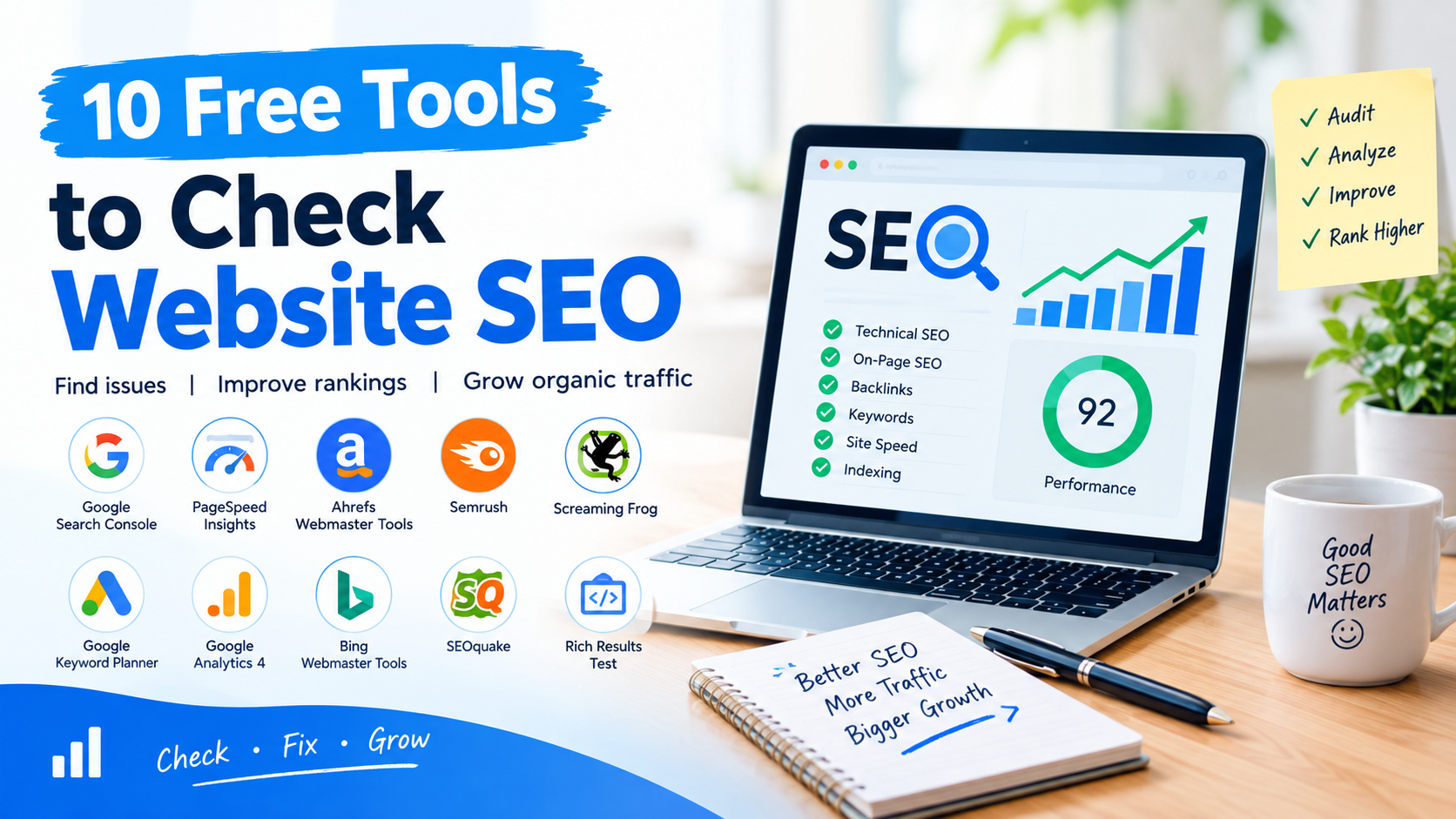
Checking your website’s SEO is important if you want to improve its position in Google search results. A website may have useful content but still struggle to attract visitors because of slow loading times, broken links, missing titles, indexing problems, or weak keyword targeting.
The good news is that you do not need to spend money on expensive software to find many of these problems. Several free tools to check website SEO can help you understand how search engines view your website and what you can improve.
These tools can help you check technical SEO, discover keywords, measure website speed, review backlinks, and monitor organic traffic. Some tools provide complete website reports, while others focus on one specific area.
In this guide, we will explore 10 free SEO tools, explain what each one does, and show you how to use them to improve your website.
1. Google Search Console
Google Search Console is one of the most useful free tools for website owners. It helps you understand how your website performs in Google Search and whether Google can find and index your pages.
You can use this tool to identify pages that receive search impressions, discover queries that bring visitors to your website, and investigate indexing problems.
Main features:
- Monitor Google Search clicks and impressions.
- Find indexing and crawling issues.
- Check whether individual URLs are indexed.
- Review sitemap submission status.
- Monitor certain website experience and search performance reports.
How to use it
Visit Google Search Console and add your website. Verify ownership, then open the Performance report to review clicks, impressions, average click through rate, and average position.
Next, check the Pages indexing report to identify URLs that Google has not indexed. Review the reasons before making changes because not every excluded URL is a problem.
Google Search Console is particularly helpful if your website has published many articles but receives little organic traffic.
2. Google PageSpeed Insights
Website speed affects user experience, and PageSpeed Insights helps you understand how quickly your pages load.
The tool evaluates a page using laboratory tests and, when available, real user data. It also reports on Core Web Vitals, which measure loading performance, responsiveness, and visual stability.
Main features:
- Test mobile and desktop performance.
- Review Largest Contentful Paint.
- Measure Interaction to Next Paint when field data is available.
- Check Cumulative Layout Shift.
- Receive suggestions for improving page performance.
How to use it
Open PageSpeed Insights, enter your website URL, and run the test.
Review the results for mobile and desktop separately. Common improvements include compressing large images, reducing unnecessary JavaScript, improving server response times, and using browser caching where appropriate.
Do not focus only on the performance score. Prioritize the specific problems that slow down your pages or make them difficult to use.
3. Ahrefs Webmaster Tools
Ahrefs Webmaster Tools provides free SEO reports for websites that you own and verify. It is useful for finding technical issues and reviewing parts of your backlink profile.
The platform can crawl your website and identify problems such as broken links, missing page titles, redirect issues, and other on page SEO concerns.
Main features:
- Website health reports.
- Technical SEO issue detection.
- Backlink information for verified websites.
- Internal linking insights.
- Recommendations for fixing selected SEO issues.
How to use it
Visit Ahrefs Webmaster Tools, create an account, and verify your website. Set up a crawl to review your pages and identify problems.
Start with issues that affect important pages, such as broken internal links, missing titles, or pages that cannot be crawled properly.
The free version has limits, so check the current plan details before relying on it for a large website.
4. Semrush Website SEO Tools
Semrush offers several SEO tools, including website auditing, keyword research, and domain analysis. Some features can be used for free with account or usage limits.
Its Site Audit tool can identify technical and on page problems that may need attention.
Main features:
- Technical SEO auditing.
- Keyword research and analysis.
- Competitor research features.
- Backlink analysis.
- On page SEO recommendations.
How to use it
Visit Semrush and explore its free tools. Depending on the feature and current account limits, you may be able to run a limited number of searches or audit a limited number of pages.
Use the audit report to identify issues that matter most to your website. Then review individual warnings instead of trying to fix every recommendation at once.
Semrush is a good option for bloggers who want to research keywords and understand their competitors, although many advanced reports require a paid plan.
5. Screaming Frog SEO Spider
Screaming Frog SEO Spider is a website crawler that checks many technical and on page SEO elements. Its free version allows users to crawl up to 500 URLs per website.
It is especially useful for blogs, business websites, and smaller sites that need a detailed technical review.
Main features:
- Find broken links and server errors.
- Identify missing or duplicate page titles.
- Review meta descriptions and heading tags.
- Discover redirect chains.
- Inspect canonical tags and other page elements.
How to use it
Download the software from Screaming Frog, install it, enter your website URL, and start a crawl.
After the crawl finishes, review the tabs for response codes, page titles, meta descriptions, and headings.
If your website contains hundreds of articles, this tool can help you find repeated problems across many URLs without checking every page manually.
The free version has limits, and some advanced features require a paid license.
6. Google Keyword Planner
Keyword research helps you understand what people search for before creating content. Google Keyword Planner is designed for advertising research, but it can also help with SEO keyword discovery.
It provides keyword ideas and estimated search volume ranges, depending on your account and access.
Main features:
- Discover related keyword ideas.
- Review estimated monthly search volumes.
- Compare keyword trends.
- Identify commercial search terms.
- Explore keyword ideas for different locations.
How to use it
Visit Google Keyword Planner and access the keyword planning tools through a Google Ads account.
Enter a topic related to your website, such as website SEO checker, free SEO tools, or keyword research tools.
Review the related terms and choose keywords that match your audience’s needs. Then examine the actual Google search results to determine whether the competition looks manageable.
Remember that Keyword Planner was built for advertising, so its volume figures and competition metrics should not be treated as exact organic SEO difficulty scores.
7. Google Analytics 4
Google Analytics 4 helps you understand what visitors do after arriving at your website. It is not a dedicated SEO audit tool, but it provides useful information about organic traffic and engagement.
Main features:
- Measure website traffic.
- Review traffic sources.
- Analyze landing page performance.
- Understand user engagement.
- Track conversions and important actions.
How to use it
Visit Google Analytics and set up a property for your website.
After installing the tracking code or configuring an appropriate integration, open the acquisition reports to review traffic from organic search.
Identify pages that attract visitors and compare their engagement with other pages. You can use these insights to improve content, navigation, internal links, and calls to action.
For accurate search query and indexing data, combine Google Analytics with Google Search Console rather than using Analytics alone.
8. Bing Webmaster Tools
Bing Webmaster Tools helps website owners understand how their sites perform in Microsoft’s search engine. It provides indexing reports, SEO analysis, and other tools that can help you identify website problems.
Main features:
- Review Bing search performance.
- Submit sitemaps.
- Inspect URLs.
- Identify selected technical SEO issues.
- Discover keyword and backlink information.
How to use it
Visit Bing Webmaster Tools and add your website. Verify ownership and submit your sitemap.
Explore the search performance and site scan reports to identify areas that need attention.
Although Google is the main target for many websites, Bing can provide another source of organic visitors. Checking both platforms gives you a broader view of your website’s search visibility.
9. SEOquake
SEOquake is a browser extension that provides SEO information while you browse web pages and search results.
It is useful for quickly reviewing page elements and comparing competing pages during keyword research.
Main features:
- Review on page SEO information.
- Inspect page titles and meta descriptions.
- Examine heading structure.
- Compare selected page metrics.
- Support competitor research.
How to use it
Visit SEOquake and install the supported browser extension.
Open your website or a competing page and use the extension to review available SEO information.
You can also use it while researching Google results to inspect competing pages. Avoid relying on a single extension metric to decide whether a keyword is easy to rank for. Content quality, search intent, website authority, and competition all matter.
10. Google Rich Results Test
Structured data can help search engines understand specific information on your pages. Google Rich Results Test checks whether supported structured data may qualify a page for rich results.
It is a useful addition to a technical SEO review, particularly for websites that publish articles, products, recipes, or other supported content types.
Main features:
- Test a page URL or code snippet.
- Detect supported structured data.
- Identify certain structured data errors.
- Review eligibility for supported rich results.
How to use it
Open the Google Rich Results Test, enter your page URL, and run the test.
Review any detected errors and warnings. Fix errors that prevent supported features from being eligible, and verify that your structured data accurately represents visible page content.
Passing the test does not guarantee that Google will display a rich result. Google decides when eligible results appear.
Comparison of the 10 free SEO tools
| Tool | Best use | Free access |
|---|---|---|
| Google Search Console | Search performance and indexing | Yes |
| PageSpeed Insights | Speed and Core Web Vitals | Yes |
| Ahrefs Webmaster Tools | Technical audits and backlinks | Yes, for verified sites with limits |
| Semrush | Audits and keyword research | Limited free access |
| Screaming Frog | Technical website crawling | Yes, up to 500 URLs |
| Google Keyword Planner | Keyword discovery | Yes, with account and access limits |
| Google Analytics 4 | Traffic and engagement | Yes |
| Bing Webmaster Tools | Bing performance and indexing | Yes |
| SEOquake | Browser based SEO checks | Yes |
| Rich Results Test | Structured data eligibility | Yes |
Free plan limits and available features can change, so check each provider’s official website before choosing a tool.
How to check your website SEO step by step
You do not need to use all ten tools every day. A simple process can help you identify important issues without wasting time.
Step 1: Check whether Google indexes your pages
Open Google Search Console and review the Pages indexing report. Look for important pages that are not indexed and investigate the reasons.
You can also inspect individual URLs to understand their indexing status.
Step 2: Test your website speed
Run your main pages through PageSpeed Insights. Check both mobile and desktop reports.
Start with your homepage and your most important articles or landing pages.
Step 3: Run a technical SEO audit
Use Screaming Frog or Ahrefs Webmaster Tools to find broken links, missing titles, redirect issues, and other technical problems.
Fix errors on important pages first.
Step 4: Review your keywords
Use Google Keyword Planner to discover relevant keyword ideas. Compare these with the queries already bringing visitors to your site through Search Console.
Choose keywords that closely match your content and audience.
Step 5: Improve your content
Make sure every important page answers the searcher’s question clearly. Use descriptive titles, useful headings, relevant examples, and internal links to related content.
Avoid repeating keywords unnaturally or publishing many similar pages just to target small keyword variations.
Step 6: Monitor your progress
Review your search clicks, impressions, traffic, and important conversions over time.
SEO changes often take weeks or months to show meaningful results. Measure progress using several indicators rather than expecting every page to rank immediately.
Common website SEO problems these tools can reveal
Missing or duplicate title tags
Page titles help users and search engines understand a page’s topic. Use unique, descriptive titles that accurately represent each page.
Slow loading pages
Large images, unnecessary scripts, and poor server response times can affect user experience. Test the affected pages before deciding which changes to make.
Broken internal links
Broken links make navigation harder and may prevent users or crawlers from reaching important content. Repair or replace links that point to missing pages.
Indexing problems
Some pages may be excluded because of redirects, noindex directives, canonical tags, duplicate content, or crawling restrictions. Check the specific reason before making changes.
Weak keyword targeting
A page may receive few impressions because it targets a topic that has little demand, does not match search intent, or faces strong competition. Research the query and improve the page where necessary.
Poor mobile experience
Make sure your content is readable on smaller screens, buttons are easy to use, and important information does not require unnecessary scrolling or zooming.
Are free SEO tools enough to improve Google rankings?
Yes, free SEO tools can help you find and fix many problems that affect your website. Google Search Console, PageSpeed Insights, and Google Analytics provide useful information without requiring a paid subscription.
However, tools cannot guarantee rankings. They provide data, reports, and suggestions, while your results also depend on content usefulness, competition, website accessibility, reputation, and other search systems.
Paid tools may become useful when you manage a large website, need extensive keyword databases, or want more detailed competitor and backlink reports. For a new blog or small business website, free tools are often a sensible place to start.
Frequently asked questions
What is the best free tool to check website SEO?
Google Search Console is one of the best starting points because it provides search performance and indexing information directly from Google. PageSpeed Insights is useful for performance checks, while Screaming Frog and Ahrefs Webmaster Tools can help with technical audits.
Can I check website SEO without paying?
Yes. Several tools offer free website analysis, keyword research, indexing reports, and speed testing. Some services limit the number of pages, searches, or reports available without a paid plan.
Which free tool checks website ranking?
Google Search Console shows search queries, clicks, impressions, and average position for your verified website. Third party rank tracking tools may provide additional data, but free tracking options often have limits.
How often should I check my website SEO?
For a small website, review search performance and important technical issues regularly. Run a more detailed audit after major website changes, redesigns, migrations, or significant content updates.
Do SEO checker tools guarantee higher rankings?
No. An SEO checker can identify potential problems, but fixing them does not guarantee better rankings. The impact depends on the issue, the competition, the page, and many other factors.
Conclusion
Using free tools to check website SEO is a practical way to improve your website without committing to expensive software. Start with Google Search Console to monitor search performance, PageSpeed Insights to test page speed, and a crawler such as Screaming Frog to find technical problems.
Add keyword research, analytics, and structured data testing as needed. Most importantly, use the information these tools provide to make meaningful improvements to your pages.
Regular checks, useful content, a good user experience, and careful measurement can help you build a stronger SEO foundation over time.
The Hear UP is a leading technology publication house. Our origin dates back to 2016 as a small forum for technology enthusiasts. Since then, The Hear UP has transformed into a trusted source for emerging tech and science news.
The majority of our news is provided by staff writers. Other news is provided by news agencies and freelancers.
All of our contributors are members of the Society of Professional Journalists.
If you need to contact a news editor from The Hear UP you can find a list of email addresses on our contact page.
Our Organisation
The Hear UP